0 item(s) in cart
Show cart/pay
Open

Demo of Ontech Control

Click here to test the control panel.

Applications

In your house or cottage
In the boat
Remote control air pump heater and air conditioner
Alarm, control and monitor
Industrial use

Products

Ontech 9060 (4G)
Ontech 9065 (4G)
Ontech Control

Accessories

Ontech Relay 9015
Ontech IR 9016
Ontech alarm box 9012
Ontech PIR 9011
Temp.sensor 2 meter
Backup battery
Start
How it works
Troubleshooting & FAQ
In your house or cottage
In the boat
Remote control air pump heater and air conditioner
Alarm, control and monitor
Industrial use
How it works
Ontech 9060 (4G)
Ontech 9065 (4G)
Ontech Control
Ontech Relay 9015
Ontech IR 9016
Ontech alarm box 9012
Ontech PIR 9011
Temp.sensor 2 meter
Backup battery
Support

Specifications

Mobile network 2G: 900/1800 MHz, 4G: eMTC 3/7/8/20, NB-loT :3/7/8/20, antenna connector SMA
SIM-card Mini-SIM (included for Ontech Control, free use in 30 days).
Temperature range – 40 to + 55 degrees Celsius. Backup battery charges in the range +5 to +35 degrees  C and kan power the uint in the range  -5 to +40 degrees C.
Power consumption Idle <0,5W, max.4 W.
Backup battery Built-in backup battery 4,2 V Litium Polymer, 1100 mAh. Powers the unit for 1-20 hours.
Relay outlet Potential-free 230V 10 A.
Alarm inputs (digital inputs) 2 st, 3-30 VDC can be set Normally Open or Normally Closed
Micro-USB input For update of software on MacOS or Windows. Cable included.
Internal temperature sensor +/- 2 degrees at 25 degrees C and 230V outlet not activated.
Input for external   temperature sensor External Temperature sensor can be connected
Short range radio  2,4 GHz. Output power 1 mW
Weight  250 gram
Dimensions (without adapter)  140*75*40 mm
Cabinet Tight enclosure with screw-in lead-through. IP 65.
Approvals Meets all EU approval requirements and is CE marked.


Heating

  • Connect a radiator (electric element or fan heater) to the Ontech 9065 to control the heat in the room.
  • Connect up to seven wireless additional units Ontech Relay 9015 and control the heat individually in many rooms.
  • Connect the Ontech 9065 to control a 3 phase relay in the electrical panel and control the heat in the entire cottage.
  • Use the thermostat function to automatically keep the heat at a certain level in the rooms or the entire cottage.
  • With the Ontech IR 9016 accessory, you move the air heat pump’s remote control to your phone/tablet/computer.

Controling electrical equipment

  • The 230V outlet can be connected to all types of electrical equipments up to 230 V/10 A. For examples servers, routers, pumps, ventilation, motors, etc.
  • The 230V outlet can be set with a timer function so that it turns on or off after a set time.

Alarm

  • Connect different types of alarm sensors to the two alarm inputs in the Ontech 9060. The alarm inputs can be set to alarm when the circuit is closed or broken.
  • All alarm sensors with relay output can be connected, e.g. motion detectors (PIR), fire alarms, magnetic switches, level switches, tread mats etc.
  • Alarm sensors that provide or break voltage 3-30 V in the event of an alarm can also be connected.
  • Connect the wireless additional units Ontech Relay 9015 and Ontech Alarmbox 9012 to the alarm sensor and send the signal wirelessly to the Ontech 9065. There is no need for long wiring.
  • Any alarm input can be set with a delay.

Temperature

  • Ontech 9065 reports the current temperature. In the Ontech Control control panel, this is automatically updated all the time so you always see the current temperature.
  • An external temperature sensor with a 2 meter cable (can be extended) can be connected and then the temperature is reported for both the internal temperature sensor and the external one.
  • Temperature alarms can be set to alarm when the temperature falls below and/or exceeds the alarm limits set by the users.

Manage Ontech

  • The device is controlled via the Ontech Control web panel. This is by far the easiest and most convenient way to control and communicate with the Ontech 9060. More information here. SIM card for this is included and the first month is free.
  • An alternative is to control the device via SMS. A SIM card is then required. . With apps for Android and Iphone, use can be simplified when controlling via SMS.

Power fail warning and battery backup

  • Ontech 9065 has a built-in backup battery that is enough to keep the device alive for 10-20 hours. Useful when the device is used as an alarm.
  • The device alerts all names on the alarm list when a main power fail occurs and notifies when the power returns.

More

  • The unit is encapsulated to IP65 level and is suitable for harsh environments and outdoors.
  • The unit is powered by 12-24 VDC. Power adapter for 230V is included.
  • There is a setting that turns the output relay on or off in the event of an alarm. This can also bet set with a timer function.
  • It is possible to measure current 4-20 mA or voltage 0-10 V and have the values ​​reported. It is also possible to set an alarm when limit values ​​are exceeded or fallen below.
  • The unit alarms via email. As an option, SMS can be requested for alarms.

Dokument

Product sheet Product sheet Ontech 9065
Quickstart Guide Quickstart Guide Ontech 9065
Reference manual Referensmanual  Ontech Control
Reference manual SMS Reference manual Ontech 9065 SMS
SMS-kommandon List SMS commands


Ontech 9065 (4G)

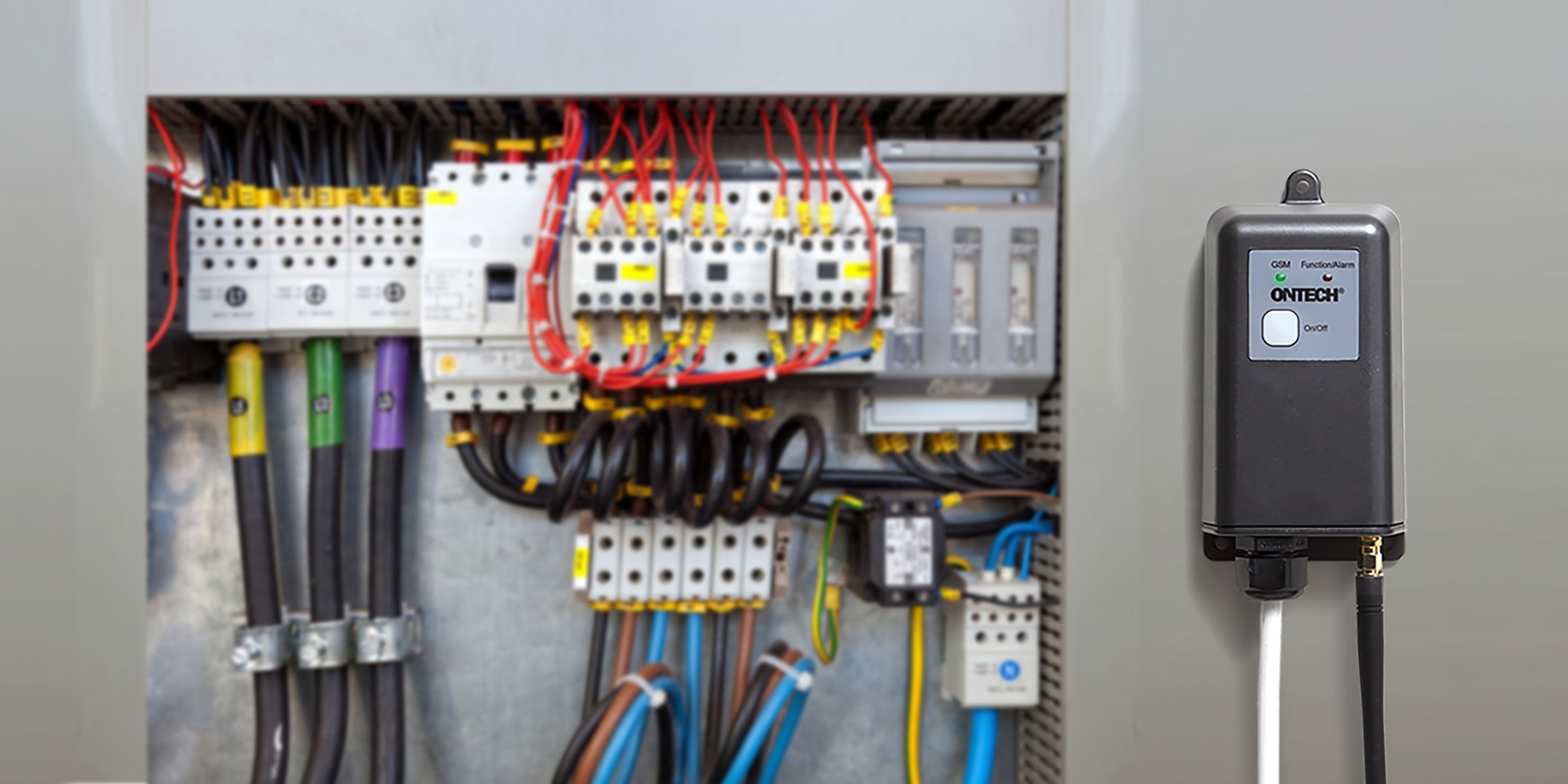
Ontech 9065 is a product intended for indoor and outdoor use (IP65) and has a potential-free relay that you can control remotely via the mobile network. It also has two alarm inputs for wired alarms, functions such as temperature alarm and power failure alarm and thermostat. The unit is powered by 12V (adapter included).


Functions
Specifications
Documents
Firmware

Heating

  • Connect a radiator (electric element or fan heater) to the Ontech 9065 to control the heat in the room.
  • Connect up to seven wireless additional units Ontech Relay 9015 and control the heat individually in many rooms.
  • Connect the Ontech 9065 to control a 3 phase relay in the electrical panel and control the heat in the entire cottage.
  • Use the thermostat function to automatically keep the heat at a certain level in the rooms or the entire cottage.
  • With the Ontech IR 9016 accessory, you move the air heat pump’s remote control to your phone/tablet/computer.

Controling electrical equipment

  • The 230V outlet can be connected to all types of electrical equipments up to 230 V/10 A. For examples servers, routers, pumps, ventilation, motors, etc.
  • The 230V outlet can be set with a timer function so that it turns on or off after a set time.

Alarm

  • Connect different types of alarm sensors to the two alarm inputs in the Ontech 9060. The alarm inputs can be set to alarm when the circuit is closed or broken.
  • All alarm sensors with relay output can be connected, e.g. motion detectors (PIR), fire alarms, magnetic switches, level switches, tread mats etc.
  • Alarm sensors that provide or break voltage 3-30 V in the event of an alarm can also be connected.
  • Connect the wireless additional units Ontech Relay 9015 and Ontech Alarmbox 9012 to the alarm sensor and send the signal wirelessly to the Ontech 9065. There is no need for long wiring.
  • Any alarm input can be set with a delay.

Temperature

  • Ontech 9065 reports the current temperature. In the Ontech Control control panel, this is automatically updated all the time so you always see the current temperature.
  • An external temperature sensor with a 2 meter cable (can be extended) can be connected and then the temperature is reported for both the internal temperature sensor and the external one.
  • Temperature alarms can be set to alarm when the temperature falls below and/or exceeds the alarm limits set by the users.

Manage Ontech

  • The device is controlled via the Ontech Control web panel. This is by far the easiest and most convenient way to control and communicate with the Ontech 9060. More information here. SIM card for this is included and the first month is free.
  • An alternative is to control the device via SMS. A SIM card is then required. . With apps for Android and Iphone, use can be simplified when controlling via SMS.

Power fail warning and battery backup

  • Ontech 9065 has a built-in backup battery that is enough to keep the device alive for 10-20 hours. Useful when the device is used as an alarm.
  • The device alerts all names on the alarm list when a main power fail occurs and notifies when the power returns.

More

  • The unit is encapsulated to IP65 level and is suitable for harsh environments and outdoors.
  • The unit is powered by 12-24 VDC. Power adapter for 230V is included.
  • There is a setting that turns the output relay on or off in the event of an alarm. This can also bet set with a timer function.
  • It is possible to measure current 4-20 mA or voltage 0-10 V and have the values ​​reported. It is also possible to set an alarm when limit values ​​are exceeded or fallen below.
  • The unit alarms via email. As an option, SMS can be requested for alarms.

Specifications

Mobile network 2G: 900/1800 MHz, 4G: eMTC 3/7/8/20, NB-loT :3/7/8/20, antenna connector SMA
SIM-card Mini-SIM (included for Ontech Control, free use in 30 days).
Temperature range – 40 to + 55 degrees Celsius. Backup battery charges in the range +5 to +35 degrees  C and kan power the uint in the range  -5 to +40 degrees C.
Power consumption Idle <0,5W, max.4 W.
Backup battery Built-in backup battery 4,2 V Litium Polymer, 1100 mAh. Powers the unit for 1-20 hours.
Relay outlet Potential-free 230V 10 A.
Alarm inputs (digital inputs) 2 st, 3-30 VDC can be set Normally Open or Normally Closed
Micro-USB input For update of software on MacOS or Windows. Cable included.
Internal temperature sensor +/- 2 degrees at 25 degrees C and 230V outlet not activated.
Input for external   temperature sensor External Temperature sensor can be connected
Short range radio  2,4 GHz. Output power 1 mW
Weight  250 gram
Dimensions (without adapter)  140*75*40 mm
Cabinet Tight enclosure with screw-in lead-through. IP 65.
Approvals Meets all EU approval requirements and is CE marked.


Dokument

Product sheet Product sheet Ontech 9065
Quickstart Guide Quickstart Guide Ontech 9065
Reference manual Referensmanual  Ontech Control
Reference manual SMS Reference manual Ontech 9065 SMS
SMS-kommandon List SMS commands


Software – Ontech 9060/9065

You need a Windows or Apple computer with an internet connection and the programming cable that came with the package.

Windows

Click on the link below to download the programming file to the desktop of your PC. The file may be placed in the “Downloads” folder. Double-click on the file and follow the instructions.
When downloading, it is possible that Windows will warn you about the contents. Select “Keep anyway”

If you receive the security warning “Windows has protected your computer…” when you open the file, press “More Information” and then “Run anyway”.

Double-click on the file and follow the instructions. A more detailed instruction can be found here.

Apple

Click on the link below for the software to download the programming file to the desktop of your Mac. Double-click to open. Follow the instructions.

Connect

  • Use the included cable, or another one that is for both charging and synchronization.
  • Connection to the Ontech 9060 is done in the connector marked “Prog” on the bottom of the unit and in the computer’s USB socket.
  • Connection to the Ontech 9065 is done on the upper part of the circuit board in the USB micro connector and in the computer’s USB socket. Please note that all voltage to the Ontech 9065 must be turned off before programming. Open the hood with the two screws on the sides and carefully pull off the cover.

Others

  • The password and all settings made are retained in the unit. However, any activation of alarms and setting of the thermostat function may be changed.
  • The software is the same for Ontech 9060 and Ontech 9065.


Software 9060/9065 – ver 73 Windows
    • Smoke detector: Detects sound from smoke detectors and sends an alarm (9060 only).
    • Scheduling: Support for scheduling relays.
    • Alarm: Support for the relay to turn on at a certain time when the alarm input is activated.
  • Bug fix: You no longer need to do a factory reset every time you change SIM cards.
  • Bug fix: Fixed errata on the CPU that caused the processor to sometimes measure time incorrectly, and then disconnect incorrectly.
Software 9060/9065 – ver 73 MacOS Same as for Windows ver 73. Works on Mac OS Catalina 10.15.X and higher.


Software – Ontech 9060/9065

You need a Windows or Apple computer with an internet connection and the programming cable that came with the package.

Windows

Click on the link below to download the programming file to the desktop of your PC. The file may be placed in the “Downloads” folder. Double-click on the file and follow the instructions.
When downloading, it is possible that Windows will warn you about the contents. Select “Keep anyway”

If you receive the security warning “Windows has protected your computer…” when you open the file, press “More Information” and then “Run anyway”.

Double-click on the file and follow the instructions. A more detailed instruction can be found here.

Apple

Click on the link below for the software to download the programming file to the desktop of your Mac. Double-click to open. Follow the instructions.

Connect

  • Use the included cable, or another one that is for both charging and synchronization.
  • Connection to the Ontech 9060 is done in the connector marked “Prog” on the bottom of the unit and in the computer’s USB socket.
  • Connection to the Ontech 9065 is done on the upper part of the circuit board in the USB micro connector and in the computer’s USB socket. Please note that all voltage to the Ontech 9065 must be turned off before programming. Open the hood with the two screws on the sides and carefully pull off the cover.

Others

  • The password and all settings made are retained in the unit. However, any activation of alarms and setting of the thermostat function may be changed.
  • The software is the same for Ontech 9060 and Ontech 9065.


Software 9060/9065 – ver 73 Windows
    • Smoke detector: Detects sound from smoke detectors and sends an alarm (9060 only).
    • Scheduling: Support for scheduling relays.
    • Alarm: Support for the relay to turn on at a certain time when the alarm input is activated.
  • Bug fix: You no longer need to do a factory reset every time you change SIM cards.
  • Bug fix: Fixed errata on the CPU that caused the processor to sometimes measure time incorrectly, and then disconnect incorrectly.
Software 9060/9065 – ver 73 MacOS Same as for Windows ver 73. Works on Mac OS Catalina 10.15.X and higher.


Heating

  • Connect a radiator (electric element or fan heater) to the Ontech 9060 to control the heat in the room.
  • Connect up to seven wireless additional units Ontech Relay 9015 and control the heat individually in many rooms.
  • Connect the Ontech 9060 to control a 3 phase relay in the electrical panel and control the heat in the entire cottage.
  • Use the thermostat function to automatically keep the heat at a certain level in the rooms or the entire cottage.
  • With the Ontech IR 9016 accessory, you move the air heat pump’s remote control to your phone/tablet/computer.

Controling electrical equipment

  • The 230V outlet can be connected to all types of electrical equipments up to 230 V/16 A. For examples servers, routers, pumps, ventilation, motors, etc.
  • The 230V outlet can be set with a timer function so that it turns on or off after a set time.

Alarm

  • Connect different types of alarm sensors to the two alarm inputs in the Ontech 9060. The alarm inputs can be set to alarm when the circuit is closed or broken.
  • All alarm sensors with relay output can be connected, e.g. motion detectors (PIR), fire alarms, magnetic switches, level switches, tread mats etc.
  • Alarm sensors that provide or break voltage 3-30 V in the event of an alarm can also be connected.
  • Connect the wireless additional units Ontech Relay 9015 and Ontech Alarmbox 9012 to the alarm sensor and send the signal wirelessly to the Ontech 9060. There is no need for long wiring.
  • Any alarm input can be set with a delay.

Temperature

  • Ontech 9060 reports the current temperature. In the Ontech Control control panel, this is automatically updated all the time so you always see the current temperature.
  • An external temperature sensor with a 2 meter cable (can be extended) can be connected and then the temperature is reported for both the internal temperature sensor and the external one.
  • Temperature alarms can be set to alarm when the temperature falls below and/or exceeds the alarm limits set by the users.

Manage Ontech

  • The device is controlled via the Ontech Control web panel. This is by far the easiest and most convenient way to control and communicate with the Ontech 9060. More information here. SIM card for this is included and the first month is free.
  • An alternative is to control the device via SMS. A SIM card is then required. . With apps for Android and Iphone, use can be simplified when controlling via SMS.

Listening for smoke alarms

  • The Ontech 9060 has a built-in microphone that listens for alarms from smoke detectors in the same room. When one is detected, an alarm is sent to all alarm receivers. Get fire alarms even when you are not at home.

Power fail warning and battery backup

  • Ontech 9060 has a built-in backup battery that is enough to keep the device alive for 10-20 hours. Useful when the device is used as an alarm.
  • The device alerts all names on the alarm list when a main power fail occurs and notifies when the power returns.

More

  • There is a setting that turns the 230V output on or off in the event of an alarm. This can also bet set with a timer function.
  • It is possible to measure current 4-20 mA or voltage 0-10 V and have the values ​​reported. It is also possible to set an alarm when limit values ​​are exceeded or fallen below.
  • The unit alarms via email. As an option, SMS can be requested for alarms.

Dokument

Product sheet Produkt sheet 9060
Quickstart Guide Quickstart Guide Ontech 9060
Reference manual Reference Manual Ontech Control
Reference manual SMS Reference Manual Ontech 9060 SMS
List SMS commands List SMS commands

Specifications

Mobile network 2G: 900/1800 MHz, 4G: eMTC 3/7/8/20, NB-loT :3/7/8/20, antenna connector SMA
SIM-card Mini-SIM (included for Ontech Control, free use in 30 days).
Temperature range – 40 to + 55 degrees Celsius. Backup battery charges in the range +5 to +35 degrees  C and kan power the uint in the range  -5 to +40 degrees C.
Power consumption Idle <0,5W, max.4 W.
Backup battery Built-in backup battery 4,2 V Litium Polymer, 1100 mAh. Powers the unit for 1-20 hours.
230V outlet 230V/16A Shuko socket
Alarm inputs (digital inputs) 2 st, 3-30 VDC can be set Normally Open or Normally Closed
Input for IR-unit 9016 Input for connecting Ontech IR 9016 and controlling air pumps.
Micro-USB input For update of software on MacOS or Windows. Cable included.
Internal temperature sensor +/- 2 degrees at 25 degrees C and 230V outlet not activated.
Input for external   temperature sensor External Temperature sensor can be connected
Short range radio  2,4 GHz. Output powe 1 mW
Weight 230 gram
Dimensions (protruding part)  135*73*35 mm
Approvals Meets all EU approval requirements and is CE marked.


Ontech GSM 9060 is a product intended for indoor use and has a 230V output that you can control remotely via the mobile network (4G). It also has two alarm inputs for wired alarms, functions such as temperature alarm and power failure alarm and thermostat. It is easily controlled via Ontech Control in a browser or via SMS.

Functions
Specifications
Documents
Firmware

Heating

  • Connect a radiator (electric element or fan heater) to the Ontech 9060 to control the heat in the room.
  • Connect up to seven wireless additional units Ontech Relay 9015 and control the heat individually in many rooms.
  • Connect the Ontech 9060 to control a 3 phase relay in the electrical panel and control the heat in the entire cottage.
  • Use the thermostat function to automatically keep the heat at a certain level in the rooms or the entire cottage.
  • With the Ontech IR 9016 accessory, you move the air heat pump’s remote control to your phone/tablet/computer.

Controling electrical equipment

  • The 230V outlet can be connected to all types of electrical equipments up to 230 V/16 A. For examples servers, routers, pumps, ventilation, motors, etc.
  • The 230V outlet can be set with a timer function so that it turns on or off after a set time.

Alarm

  • Connect different types of alarm sensors to the two alarm inputs in the Ontech 9060. The alarm inputs can be set to alarm when the circuit is closed or broken.
  • All alarm sensors with relay output can be connected, e.g. motion detectors (PIR), fire alarms, magnetic switches, level switches, tread mats etc.
  • Alarm sensors that provide or break voltage 3-30 V in the event of an alarm can also be connected.
  • Connect the wireless additional units Ontech Relay 9015 and Ontech Alarmbox 9012 to the alarm sensor and send the signal wirelessly to the Ontech 9060. There is no need for long wiring.
  • Any alarm input can be set with a delay.

Temperature

  • Ontech 9060 reports the current temperature. In the Ontech Control control panel, this is automatically updated all the time so you always see the current temperature.
  • An external temperature sensor with a 2 meter cable (can be extended) can be connected and then the temperature is reported for both the internal temperature sensor and the external one.
  • Temperature alarms can be set to alarm when the temperature falls below and/or exceeds the alarm limits set by the users.

Manage Ontech

  • The device is controlled via the Ontech Control web panel. This is by far the easiest and most convenient way to control and communicate with the Ontech 9060. More information here. SIM card for this is included and the first month is free.
  • An alternative is to control the device via SMS. A SIM card is then required. . With apps for Android and Iphone, use can be simplified when controlling via SMS.

Listening for smoke alarms

  • The Ontech 9060 has a built-in microphone that listens for alarms from smoke detectors in the same room. When one is detected, an alarm is sent to all alarm receivers. Get fire alarms even when you are not at home.

Power fail warning and battery backup

  • Ontech 9060 has a built-in backup battery that is enough to keep the device alive for 10-20 hours. Useful when the device is used as an alarm.
  • The device alerts all names on the alarm list when a main power fail occurs and notifies when the power returns.

More

  • There is a setting that turns the 230V output on or off in the event of an alarm. This can also bet set with a timer function.
  • It is possible to measure current 4-20 mA or voltage 0-10 V and have the values ​​reported. It is also possible to set an alarm when limit values ​​are exceeded or fallen below.
  • The unit alarms via email. As an option, SMS can be requested for alarms.

Specifications

Mobile network 2G: 900/1800 MHz, 4G: eMTC 3/7/8/20, NB-loT :3/7/8/20, antenna connector SMA
SIM-card Mini-SIM (included for Ontech Control, free use in 30 days).
Temperature range – 40 to + 55 degrees Celsius. Backup battery charges in the range +5 to +35 degrees  C and kan power the uint in the range  -5 to +40 degrees C.
Power consumption Idle <0,5W, max.4 W.
Backup battery Built-in backup battery 4,2 V Litium Polymer, 1100 mAh. Powers the unit for 1-20 hours.
230V outlet 230V/16A Shuko socket
Alarm inputs (digital inputs) 2 st, 3-30 VDC can be set Normally Open or Normally Closed
Input for IR-unit 9016 Input for connecting Ontech IR 9016 and controlling air pumps.
Micro-USB input For update of software on MacOS or Windows. Cable included.
Internal temperature sensor +/- 2 degrees at 25 degrees C and 230V outlet not activated.
Input for external   temperature sensor External Temperature sensor can be connected
Short range radio  2,4 GHz. Output powe 1 mW
Weight 230 gram
Dimensions (protruding part)  135*73*35 mm
Approvals Meets all EU approval requirements and is CE marked.


Dokument

Product sheet Produkt sheet 9060
Quickstart Guide Quickstart Guide Ontech 9060
Reference manual Reference Manual Ontech Control
Reference manual SMS Reference Manual Ontech 9060 SMS
List SMS commands List SMS commands

Software – Ontech 9060/9065

You need a Windows or Apple computer with an internet connection and the programming cable that came with the package.

Windows

Click on the link below to download the programming file to the desktop of your PC. The file may be placed in the “Downloads” folder. Double-click on the file and follow the instructions.
When downloading, it is possible that Windows will warn you about the contents. Select “Keep anyway”

If you receive the security warning “Windows has protected your computer…” when you open the file, press “More Information” and then “Run anyway”.

Double-click on the file and follow the instructions. A more detailed instruction can be found here.

Apple

Click on the link below for the software to download the programming file to the desktop of your Mac. Double-click to open. Follow the instructions.

Connect

  • Use the included cable, or another one that is for both charging and synchronization.
  • Connection to the Ontech 9060 is done in the connector marked “Prog” on the bottom of the unit and in the computer’s USB socket.
  • Connection to the Ontech 9065 is done on the upper part of the circuit board in the USB micro connector and in the computer’s USB socket. Please note that all voltage to the Ontech 9065 must be turned off before programming. Open the hood with the two screws on the sides and carefully pull off the cover.

Others

  • The password and all settings made are retained in the unit. However, any activation of alarms and setting of the thermostat function may be changed.
  • The software is the same for Ontech 9060 and Ontech 9065.


Software 9060/9065 – ver 73 Windows
    • Smoke detector: Detects sound from smoke detectors and sends an alarm (9060 only).
    • Scheduling: Support for scheduling relays.
    • Alarm: Support for the relay to turn on at a certain time when the alarm input is activated.
  • Bug fix: You no longer need to do a factory reset every time you change SIM cards.
  • Bug fix: Fixed errata on the CPU that caused the processor to sometimes measure time incorrectly, and then disconnect incorrectly.
Software 9060/9065 – ver 73 MacOS Same as for Windows ver 73. Works on Mac OS Catalina 10.15.X and higher.


  • External temperature sensor with 2 meter cable.

  • 2.5 mm plug that fits the models Ontech GSM 9035 Ontech GSM 9040 and Ontech Relay 9015.

  • When connected to Ontech GSM 9025, remove the plug and connect the cables to the screw terminal. Accuracy +/- 1 degree C.

  • The cable can be extended up to 10 meters.

  • Measuring range -40 degrees C to 105 degrees C. Accuracy +/- 1 degree C.